
Skip to content

What Is a Text Match Cut?

A text match cut keeps one word in the same visual position while the surrounding layout changes. Learn the technique, where it came from, and when it works.

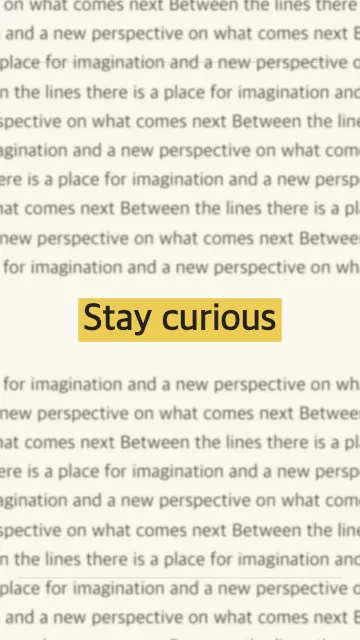
Paper-style animation with a fixed text anchor

The visual mechanic

A text match cut works by holding a focal word visually steady while everything around it changes. Typography, column width, paper texture, and background can shift from cut to cut, but the viewer keeps returning to the same word.

That stable anchor gives the eye a through-line. When the layouts change quickly, the word connects otherwise unrelated frames and turns the edit into a rhythm rather than a collection of disconnected images.

Where the technique came from

The match cut is a long-established film technique: two different shots are connected by a visual element they share. A text match cut applies that idea to a word or short phrase, often across archival-looking headlines, documents, or changing page layouts.

In short-form video, the technique works as a hook or transition because a viewer can recognize the repeated word even while the rest of the frame changes. The visual effect should support the story, not stand in for evidence or a real source document.

What makes a text match cut work

  • One clear focal word. A short anchor is easier to recognize during rapid cuts.
  • Consistent positioning. If the focal word drifts, the visual connection weakens.
  • Contrast between layouts. Vary the surrounding typography and texture so each cut reads as a new frame.
  • Readable pacing. Preview at normal speed and slow the sequence if the word becomes difficult to follow.

A short sound on each cut can reinforce the rhythm, but it is optional. Keep the animation brief enough to introduce the idea and let the surrounding edit explain the meaning.

Text match cut vs. jump cut

A jump cut removes part of a continuous shot, creating a visible discontinuity in time or position. A text match cut creates continuity across different frames by keeping a shared word or phrase visually anchored. Jump cuts emphasize a change in time; text match cuts emphasize a recurring idea.

Use the technique when a name, concept, or short phrase should connect a sequence. If the viewer needs to read a longer explanation, give that text more screen time rather than relying on rapid cuts.

How to make one

Start with a short phrase and choose the word that matters most. In the Text Match Cut generator, select the focal word or phrase, choose a visual style and aspect ratio, and preview the pacing. Export the clip after checking that the anchor stays readable at normal playback speed.

The generator prefers browser-local rendering. If the browser cannot encode the requested output, the interface may offer temporary background rendering and explain that path before submission. For a full walkthrough, read the step-by-step tutorial. For the broader film-editing idea, see our blog article what is a match cut?.

Looking for a focal word to try? Browse text match cut word ideas and adapt a phrase to your story.

Text match cut FAQ

Try a text match cut

Choose a focal word, preview the motion, and export a clip for your next edit.