
Skip to content

PaperAnimator Text Match Cut Alternative

Looking for a PaperAnimator text match cut alternative? Create a fixed-word animation in your browser for free.

Text Match Cut Paper-style animation with a stable word and changing printed layouts

An alternative for the fixed-word effect

If you want a PaperAnimator text match cut alternative for one word or short phrase, Text Match Cut offers a focused browser workflow. Enter the text, preview changing layouts around a stable anchor, and download a finished video. The public generator is free and does not require an account.

This page compares the specific text effect, not every paper-animation task. PaperAnimator's official site describes a Text Match CUT feature alongside photo cutout, fold-out animation, and magazine-letter tools. Text Match Cut focuses on generated printed layouts and a readable focal word. It does not offer those broader photo and paper-graphics workflows.

The useful question is what you need to leave with. If the result should be a short video with a word staying in place while the page changes, try the generator. If the result requires your own photo, a torn-edge object, or individually editable paper elements, choose a workflow built for those assets.

Compare the task before choosing the tool

These points separate the tools' stated scope from the practical choices in our generator. PaperAnimator information below comes from its public pages, checked on October 2, 2026. Check its current app and terms for the conditions of a particular export.

QuestionPaperAnimatorText Match Cut
What is the shared text task?Its site describes keyword or phrase based text match cut animation.Generate a fixed-word animation across changing printed layouts.
What else does the product cover?Its site also describes photo paper effects and magazine letters.Paper, Book, and Typewriter styles for this text effect.
What should I check before downloading?Its terms describe credits for specified previews and exports; check the current conditions.Free public generation; the offered video format depends on encoding support.
Where should I verify the workflow?Use the official app for its current options.Preview the word and test the downloaded file in your editor.

PaperAnimator's published terms are the source for the credit statement. Credit requirements can change. Check the official app for the cost and conditions of your intended export.

Create the animation in three steps

  1. Choose the focal text. Enter a word or phrase in the text match cut generator. A short name or idea is easier to track than a sentence. Enter up to 160 characters, then choose a fixed word or phrase of up to 40 characters.
  2. Preview the look and rhythm. Pick Paper, Book, or Typewriter and choose 9:16, 1:1, or 16:9. Adjust duration, cut speed, zoom, and blur while checking whether the word stays readable.
  3. Generate and download. Choose 720p or 1080p, request the format you want, and download the completed clip. Open it once before adding it to a longer edit.

The preview is a reading test, not a separate video file. Use New scenes if you want another arrangement around the same word. For a complete explanation of each step, see how to make a text match cut.

Choose the paper look that suits the edit

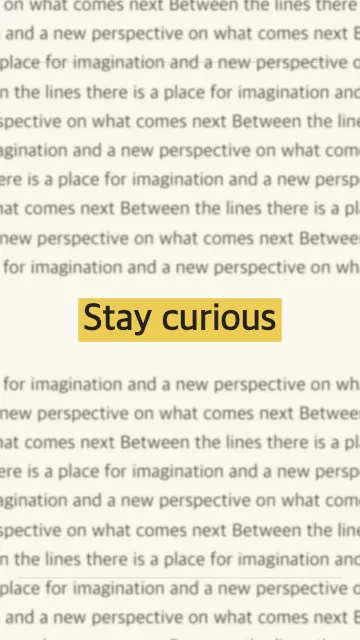
Use Paper when the story calls for an editorial or newspaper-style insert. It uses generated page text, line work, and a fixed highlight. Book gives the surrounding layout a printed-page character. Typewriter uses a monospaced look. These are variations of the same fixed-word task.

Start with the final frame shape. A vertical hook for a phone edit needs different framing from a landscape title card. Matching the source ratio to the destination reduces the need to crop near the focal word later.

The newspaper text animation page shows the Paper workflow and explains its limits. The generated body copy supplies visual texture; it is not a scan from a chosen publication. If a real article or document is central to the story, use source material you have permission to use in a manual edit.

Check the limits that affect your result

The generator creates a complete video frame. Its text, highlight, background, and internal cuts are rendered together. You can trim and position the result in an editor, but you cannot select the original word as a separate text layer. Changing the wording means generating another clip.

It does not export editable CapCut projects, Premiere motion graphics templates, After Effects projects, or Fusion macros. It also does not provide image uploads, torn-photo cutouts, fold-out objects, transparent paper elements, or a downloadable sound-effect library. Optional synthesized cut sounds can be included in the finished video. Those tasks call for a different tool or a native editor workflow.

Animation here comes from deterministic layouts and rendering rather than an AI prompt. Use it when direct control over the focal text and a small set of visual settings are enough. If your brief requires an entirely new scene or a custom image transformation, this focused generator may not match it.

Bring the finished clip into your editor

Use the downloaded video as a title beat, a short hook, or an insertion between shots. It can sit beside other footage in an editor that supports its format. Add music, voiceover, and captions there, while keeping extra text away from the focal word.

Try MP4 first for a conventional editing workflow. If the editor rejects a download, confirm that the file completed and opens in a player, then check the format and codec your installed editor supports. A filename change does not convert a video.

Test a short section of the final edit. Include the shot before the animation and the shot after it so you can judge the transition and audio timing. The source should serve the story even when its visual treatment is brief.

Understand local and background generation

The preview and preferred video generation run in your browser. When your browser cannot encode the selected output, the interface explains an optional background-generation path before submission. That path sends the focal text and effect settings to generate a temporary video.

Choose the workflow you are comfortable with at that point. Browser support can change which output is available, so judge the actual file offered by the interface rather than assuming every device produces the same format. No public account is needed to try the generator or download a completed clip.

PaperAnimator alternative questions

Try the fixed-word animation

Enter one word, choose a style, and see whether the result fits your edit.